

Introduction
Every page in the Pylon documentation comes equipped with built-in AI tooling designed to accelerate your development workflow. Whether you need quick answers, want to explore architectural decisions, or require deep-dive analysis, our AI integrations put powerful assistance just a click away.Finding the AI tools
Look for the Copy page dropdown button located beside the page title on any documentation page. This menu contains all your AI integration options in one convenient location.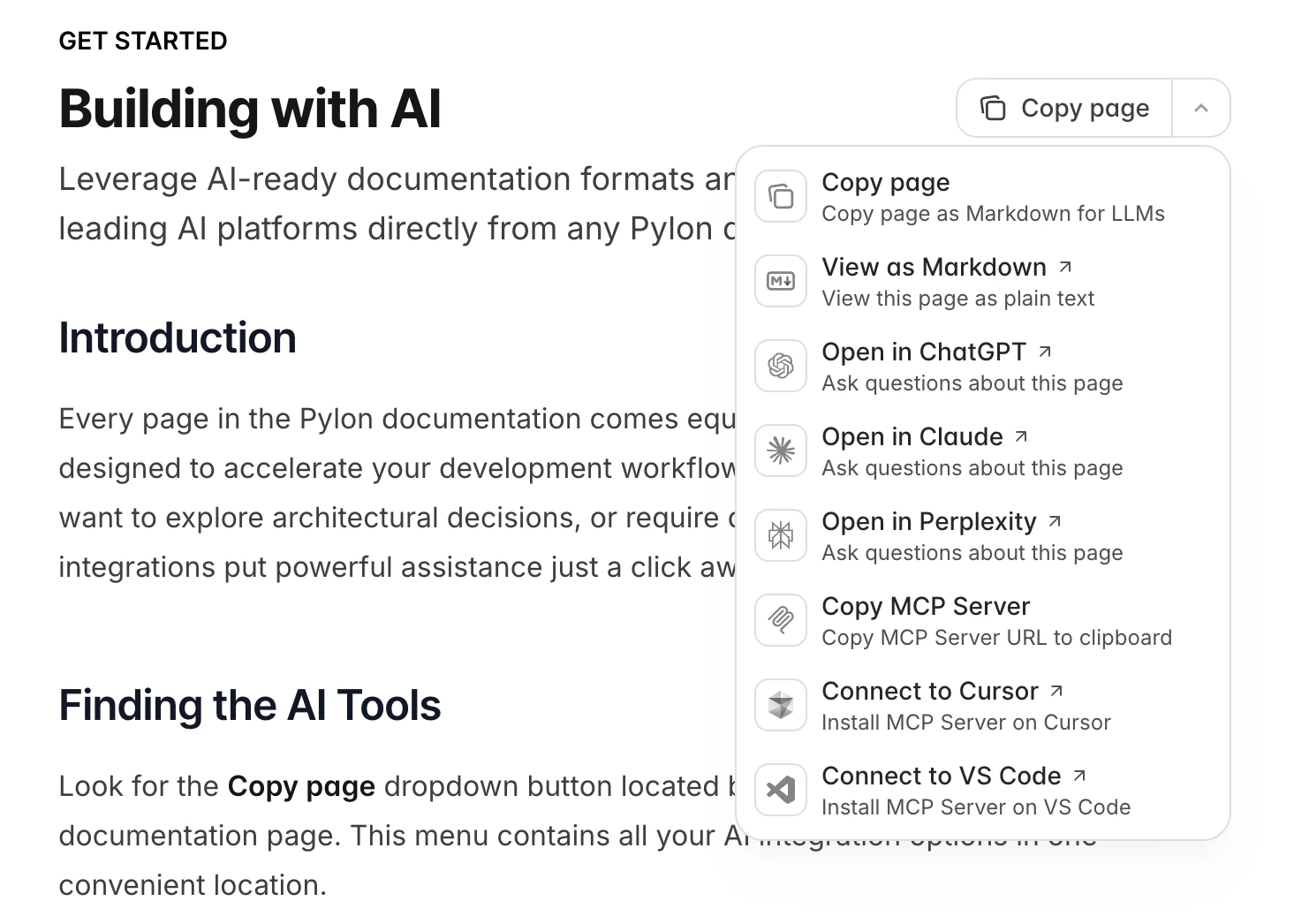
What’s available
Copy options
- Copy page - Copies the page content as standard markdown text.
- Copy page as Markdown for LLMs - Exports the page in a format structured for AI consumption with additional context markers.
- View as Markdown - Renders the current page as plain markdown in your browser.
Open in AI tools
- Open in ChatGPT - Launches ChatGPT with the current page content automatically loaded.
- Open in Claude - Opens Claude with the page pre-loaded as context.
- Open in Perplexity - Sends the page content to Perplexity.
Full documentation access
For questions that span multiple areas of the platform, you can provide AI tools with our entire documentation set in a single optimized file. Access it at:https://docs.pylon.mortgage/llms-full.txt
This consolidated file gives AI assistants complete visibility into all Pylon features, APIs, and concepts.
Usage workflows
Quick AI consultation
- Navigate to the relevant Pylon documentation page
- Open the Copy page dropdown
- Select your preferred AI platform (ChatGPT, Claude, or Perplexity)
- The tool opens with full page context ready for your questions
Manual integration
- Go to any documentation page
- Click Copy page and select Copy page as Markdown for LLMs
- Paste the copied content into your AI tool of choice
- Ask your questions with the documentation as context
Comprehensive research
When your question touches multiple parts of the Pylon platform:- Visit
https://docs.pylon.mortgage/llms-full.txt - Provide this URL or its contents to your AI assistant
- Ask questions that require understanding of the full platform
Tips for better results
Be specific about your context. Let the AI know what you’re building, whether it’s an integration, a custom workflow, or troubleshooting an issue. Include relevant code. When asking about implementation details, paste in the code you’re working with. Reference specific components. Mention which Pylon features or APIs you’re using. Use llms-full.txt for cross-cutting questions. If your question involves how different parts of Pylon work together, give the AI access to the complete documentation.For a complete index of all documentation pages, access the llms.txt file at: https://docs.pylon.mortgage/llms.txt