> ## Documentation Index
> Fetch the complete documentation index at: https://docs.pylon.mortgage/llms.txt
> Use this file to discover all available pages before exploring further.
# Loan Application Element
> Complete end-to-end mortgage loan application experience
The Loan Application Element provides a complete, end-to-end mortgage loan application experience for your users. It handles the entire application flow from initial information collection through pre-approval, all within a single, embeddable component.
## What it does
The Loan Application Element provides a comprehensive mortgage application experience that guides borrowers through:
* **Personal information collection** - Name, contact details, date of birth, citizenship status
* **Property information** - Subject property details, purchase price, property type, occupancy intent
* **Borrower details** - Multiple borrowers can be added with their individual information
* **Financial information** - Income sources, assets, liabilities, and owned properties
* **Loan details** - Loan amount, purpose, term, and other loan-specific parameters
* **Credit authorization** - Secure credit pull with borrower consent
* **Pre-approval** - Real-time pre-approval calculation and letter generation
* **Application submission** - Complete application submission to begin processing
All sensitive information (SSN, credit scores, income details, bank account numbers) is handled securely and never exposed to your frontend. The Element communicates directly with the Pylon API using secure authorization leases, ensuring that sensitive data only flows between Pylon's servers and the Element-never through your application's frontend code.
## How it works
The Loan Application Element is programmatically generated and rendered seamlessly inline. It communicates securely with the Pylon API using the [authorization lease](/elements/setup/authentication) you configure in your backend.
Here's what the Element builds into your application:
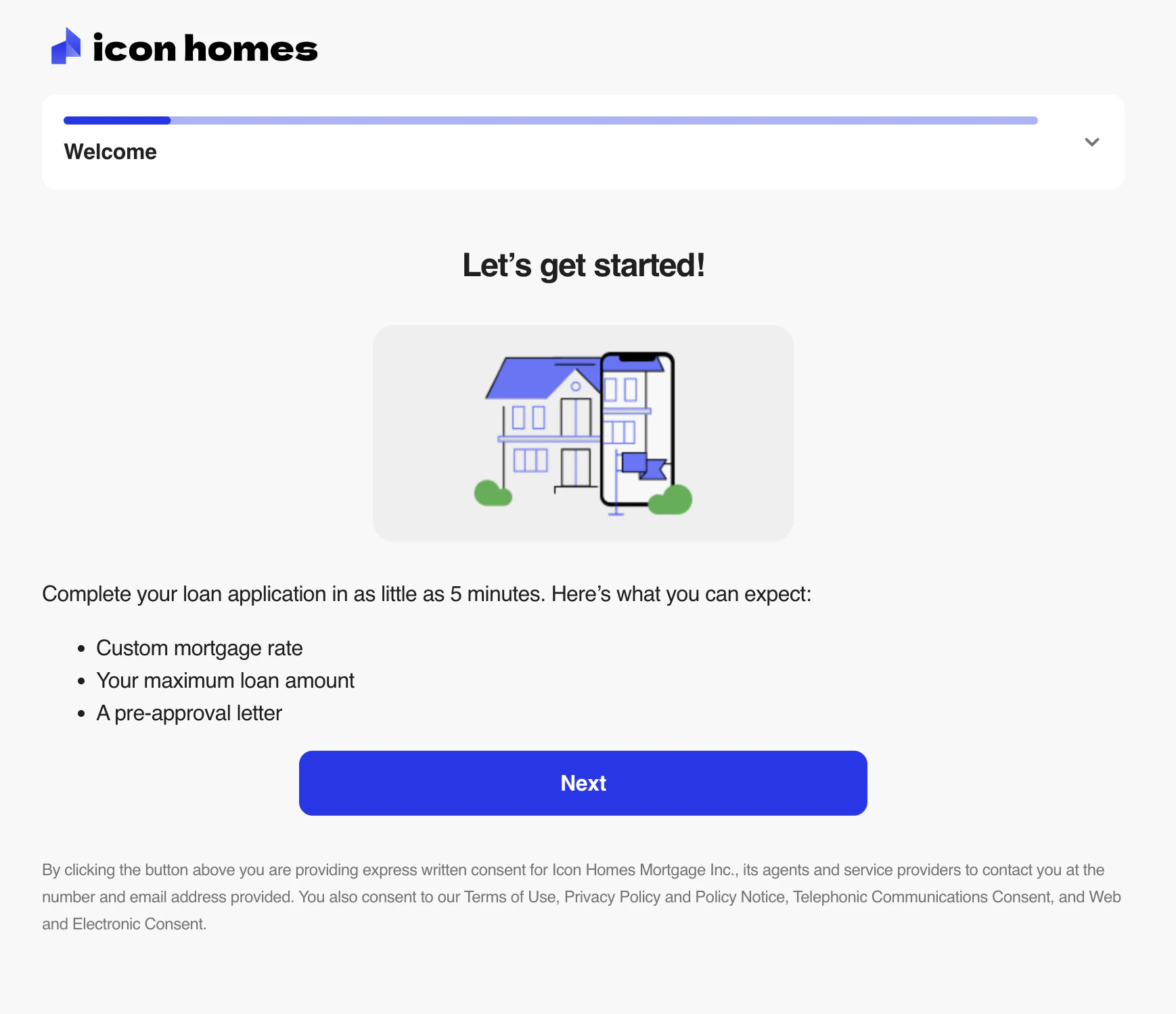 To ensure optimal display, the Loan Application Element should take up most of the page, with only your global layout surrounding it. Avoid displaying other UI elements on the same page to prevent visual conflicts.
## Getting started
Configure your backend to [handle Pylon authorization requests](/elements/setup/authentication). This is required before using any Elements.
Add the Pylon Elements library to your project:
```bash theme={null}
npm install @pylonlending/react-elements --save
```
Import and configure the Loan Application Element in your app. See the [setup guide](/elements/loan-application/setup) for details.
Optionally customize the [theme](/elements/loan-application/theming) and set up [polling](/elements/loan-application/polling) to monitor loan status changes.
## Next steps
* [Set up the Element](/elements/loan-application/setup) - Integration guide
* [Polling for updates](/elements/loan-application/polling) - Monitor loan status changes
* [Theming](/elements/loan-application/theming) - Customize appearance
To ensure optimal display, the Loan Application Element should take up most of the page, with only your global layout surrounding it. Avoid displaying other UI elements on the same page to prevent visual conflicts.
## Getting started
Configure your backend to [handle Pylon authorization requests](/elements/setup/authentication). This is required before using any Elements.
Add the Pylon Elements library to your project:
```bash theme={null}
npm install @pylonlending/react-elements --save
```
Import and configure the Loan Application Element in your app. See the [setup guide](/elements/loan-application/setup) for details.
Optionally customize the [theme](/elements/loan-application/theming) and set up [polling](/elements/loan-application/polling) to monitor loan status changes.
## Next steps
* [Set up the Element](/elements/loan-application/setup) - Integration guide
* [Polling for updates](/elements/loan-application/polling) - Monitor loan status changes
* [Theming](/elements/loan-application/theming) - Customize appearance